FTR UI Suite

25+ professional WinForms controls for .NET Framework 4.7.2 and .NET 6+.
Free core features. Premium properties unlocked with a perpetual license.

Early Access: Full suite for $35 for the first 20 customers. Regular price $69.

Controls

25+ Professional WinForms Controls

Everything is shipped in FTR.UI.WinForms and can be installed directly from NuGet.

FTRChart

Line, bar, area, and pie charts.

FTRRibbon

Office-style ribbon toolbar.

FTRRichTextBox

Rich text editor with formatting tools.

FTRTreeList

Multi-column tree and list view.

FTRGridViewPro

Powerful data grid with filtering and export.

FTRCalendarPlanner

Calendar and planning control.

FTRTabControl

Modern tabs with close buttons and badges.

FTRAccordion

Collapsible panels for clean application layouts.

FTRCard

Modern card panel with header and footer.

FTRButton

Material, gradient, SVG, and custom button styles.

FTRDropDown

Searchable single and multi-select dropdown.

FTRCheckBox

Styled checkbox and toggle controls.

FTRRadioButton

Themed radio button control.

FTRRating

Star rating input control.

FTRTextBox

Rounded textbox with placeholder support.

FTRNumericUpDown

Styled numeric input control.

FTRProgressBar

Linear progress indicator.

FTRCircularProgressBar

Circular progress indicator.

FTRSlider

Single-value slider.

FTRRangeSlider

Dual-thumb range slider.

FTRMessageBox

Custom styled message dialogs.

FTRToastNotification

Lightweight toast notifications.

FTRDashboard

Dashboard layout with sidebar and content areas.

FTRTokenEdit

Tag and token input control.

FTRBadgeLabel

Pill and badge style labels.

Licensing

Free Core Features. Premium When You Need Them.

FTR UI Suite is not a time-limited trial. Install it for free and use the controls with their standard/default functionality.

Free — No License Required

  • Install directly from NuGet
  • Use all controls with default settings
  • No time limit
  • No watermark
  • No activation dialog inside your application
  • Standard properties and functionality

Licensed — Premium Features

  • Unlock premium properties
  • Activate with FTRLicenseActivator
  • Perpetual license for the purchased version
  • Commercial use
  • One developer seat
  • One year of updates and support
Pricing

One License. One Developer. No Subscription.

Purchase once and use the purchased version perpetually. One year of updates and support is included.

FTR UI Suite Developer License

$35 $69

Early Access — First 20 Customers

After the first 20 customers, the Early Access price will be $45. Regular price: $69.

  • Perpetual license
  • 1 developer seat
  • All premium properties
  • All 25+ WinForms controls
  • Commercial use
  • FTRLicenseActivator
  • 1 year of updates
  • 1 year of email support
Try Before You Buy

The FTR.UI.WinForms NuGet package is free to install. You can evaluate the controls before purchasing a license. A license is only required for Premium Features.

Purchase Process

How to Purchase Your License

Complete the payment first, then submit your payment information so we can verify the transaction and issue your license.

1
Choose a License

Select the FTR UI Suite Developer License.

2
Complete Payment

Complete your payment through the secure payment page.

3
Submit Payment Details

Tell us your payment information using the form below.

4
Receive Your License

We verify your payment and send your license key by email.

Step 1 — Complete Your Payment

Click the button below to open the secure payment page. Complete your purchase there and keep your payment or order reference information.

$35

Early Access price for the first 20 customers.

Proceed to Secure Payment
Important: After completing the payment, return to this page and submit your payment details in the form below.

Step 2 — Request Your License

Already completed your payment? Submit the information below. We will verify your payment and, once confirmed, send your license key to the email address you provide.

Your license key will be sent to this address.
Enter the reference number shown on your payment receipt if one is available.

Your information is used only to verify your purchase and deliver your FTR UI Suite license.

License Delivery

After receiving your request, we manually verify the payment. Once the payment is confirmed, your FTR UI Suite license key will be sent to the email address provided in the form. License delivery is normally completed within a few hours and may take up to 24 hours.

Get Started

Install FTR UI Suite from NuGet

Start using FTR UI Suite before purchasing. The package is free to install and evaluate.

Package Manager

Install-Package FTR.UI.WinForms

.NET CLI

dotnet add package FTR.UI.WinForms

Supported targets include net472 and net6.0-windows.

FTR UI Suite in Visual Studio
Showcase

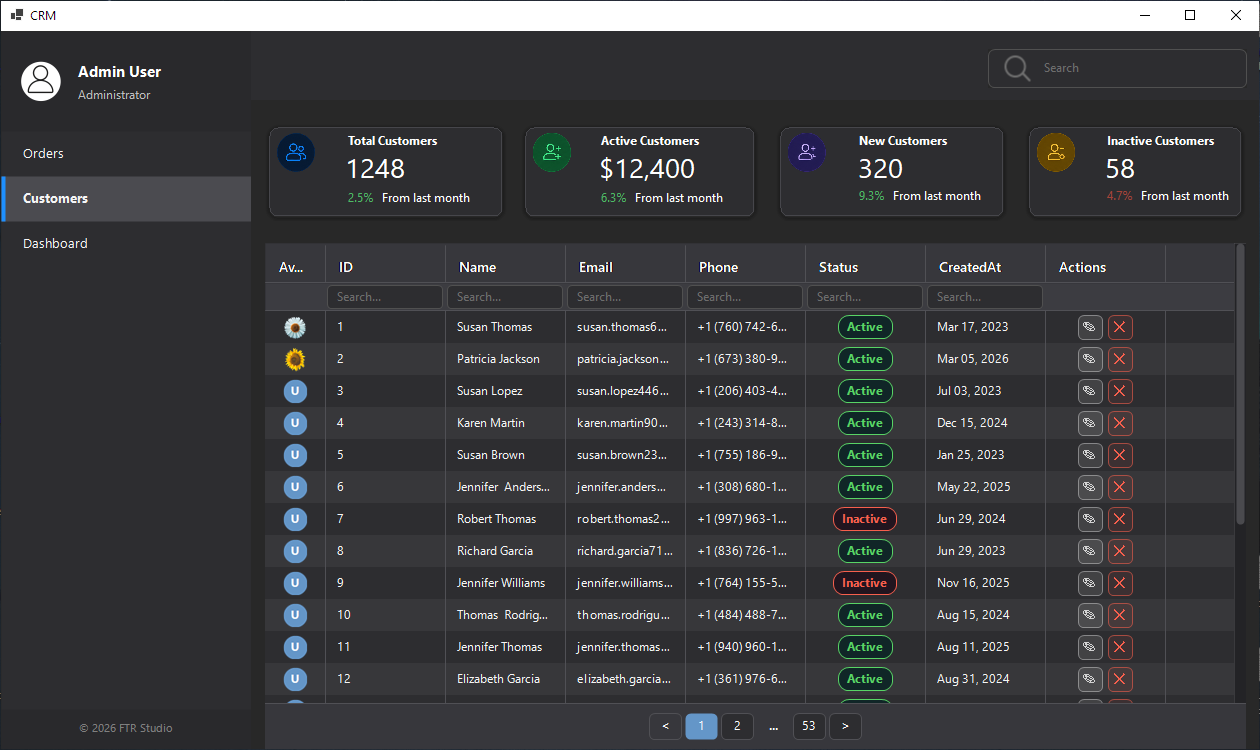
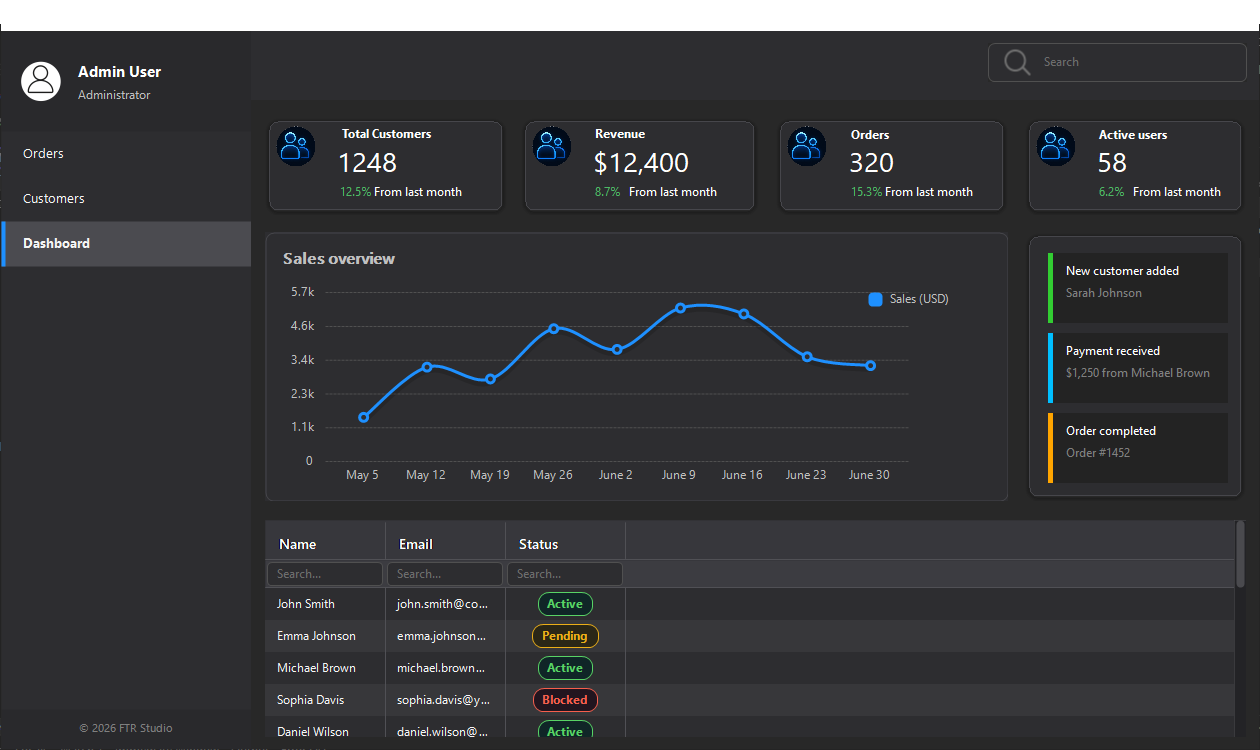
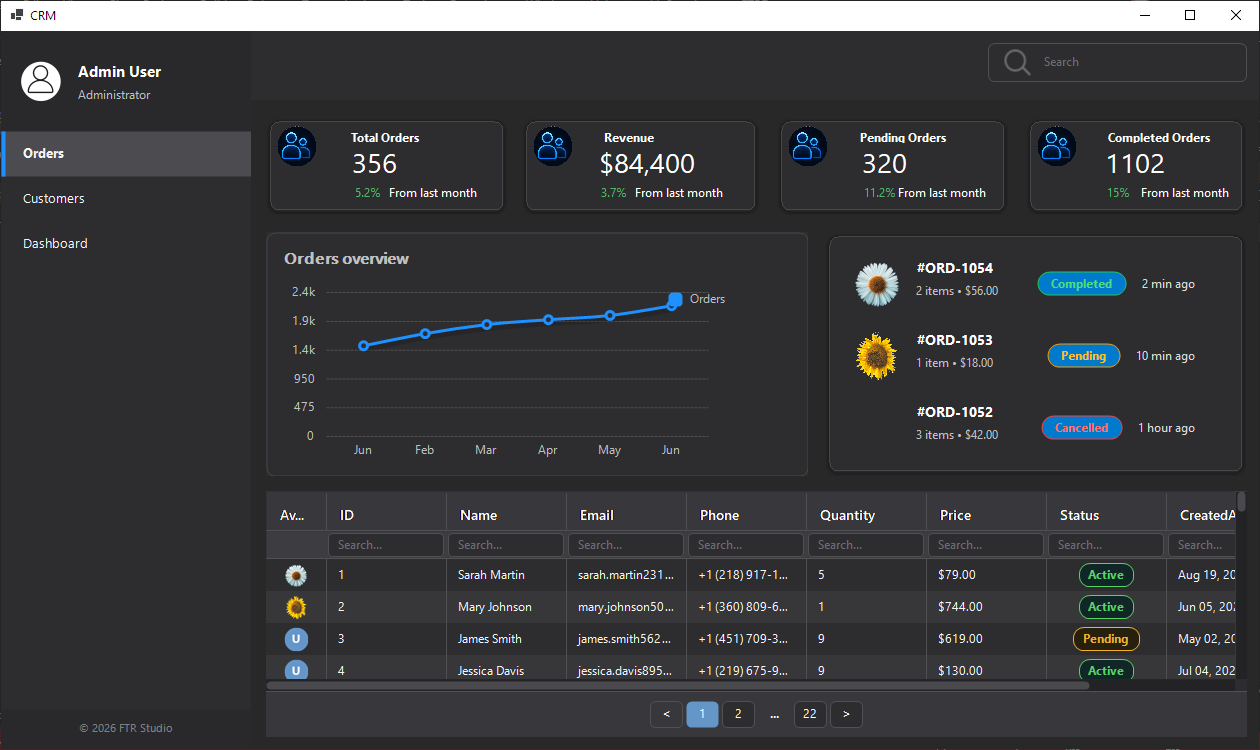
Built with FTR UI Suite

Real Windows desktop interfaces built with FTR UI Suite controls.

Windows Demo

Download the Windows demo application and explore the controls in a real desktop environment.

Download Demo
FAQ

Frequently Asked Questions

There is no time-limited trial. The NuGet package is free to install and evaluate. Controls work with their standard/default settings. Premium Features require a license.
Premium Features are advanced properties that require a valid license. Examples include advanced BorderRadius options, grid export functionality, animations, and other premium customization features.
After receiving your license key, run FTRLicenseActivator on your development machine and enter the license key. You can also activate using LicenseService.Activate(key) from your own setup workflow.
Yes. A valid developer license allows you to use FTR UI Suite in commercial applications. Redistribution or resale of the FTR assemblies as a standalone product is not permitted.
After completing your payment, submit your payment details using the License Request form. We manually verify the payment. Once confirmed, your license key is sent to the email address provided in your request.
FTR UI Suite supports .NET Framework 4.7.2 and .NET 6 Windows (net6.0-windows).
No. The package is distributed as compiled assemblies. Source code is not included with the developer license.
The license includes all current FTR UI Suite WinForms controls, premium properties, commercial use, one developer seat, FTRLicenseActivator, and one year of updates and email support.
License requests are manually reviewed. Delivery is normally completed within a few hours after payment verification and may take up to 24 hours.
Digital license sales are final. We strongly recommend installing the free NuGet package and reviewing the documentation before purchasing. If you experience a technical issue after purchase, please contact support.
Support

Need Help?

Have a bug report, feature request, or technical question? Send us a message.

Bug Reports

Report unexpected behavior or problems.

Feature Requests

Suggest improvements and new controls.

Send Message